Kubernetes for .NET Developers: What You Actually Need to Know
Kubernetes has a reputation among application developers as something owned entirely by platform or DevOps teams, a black box you deploy into and otherwise ignore. I've worked on a distributed BNPL platform running on Kubernetes, and my honest experience is that this reputation does .NET developers a disservice. You don't need to become a cluster administrator, but the developers who understand a handful of core concepts write noticeably better-behaved services than the ones who treat Kubernetes as someone else's problem.
Pods aren't your application, they're disposable
The mental shift that matters most: a pod running your .NET service is not a stable, long-lived server. It can be killed and rescheduled at any time, for reasons that have nothing to do with your code, a node failing, a deployment rolling out, the scheduler rebalancing load. Your application needs to assume it will be terminated and restarted regularly, and behave correctly through that.
This changes how you think about state. Anything held only in memory on a single pod, an in-process cache, a background job's progress, session state, disappears the moment that pod is replaced. Externalize what needs to survive: Redis for cache, a database for job state, a distributed session store if you genuinely need server-side sessions.
Health checks aren't optional, they're how Kubernetes knows what to do with you
csharp
builder.Services.AddHealthChecks()
    .AddSqlServer(connectionString, name: "database")
    .AddCheck<DownstreamServiceHealthCheck>("payment-gateway");

app.MapHealthChecks("/health/live", new HealthCheckOptions { Predicate = _ => false });
app.MapHealthChecks("/health/ready", new HealthCheckOptions { Predicate = check => check.Tags.Contains("ready") });
Liveness and readiness probes serve genuinely different purposes, and conflating them causes real problems. Liveness answers "should this pod be restarted because it's stuck." Readiness answers "should this pod currently receive traffic." A pod that's alive but not ready, say, still warming up a cache, or temporarily unable to reach its database, should be pulled from the load balancer without being killed and restarted. Mixing the two up means Kubernetes either restarts a healthy pod that's momentarily busy, or keeps sending traffic to one that genuinely can't serve it.
Resource requests and limits change how your app actually behaves
yaml
resources:
  requests:
    memory: "256Mi"
    cpu: "250m"
  limits:
    memory: "512Mi"
    cpu: "500m"
Requests are what Kubernetes guarantees your pod when scheduling it. Limits are the hard ceiling. Set memory limits too low for a .NET service and you'll see the runtime get OOMKilled during garbage collection spikes that would have been completely normal with more headroom. .NET's server garbage collector, in particular, can be memory-hungry under load, and I've had to explicitly tune DOTNET_gcServer and memory limits together to avoid pods dying under perfectly normal traffic.
Graceful shutdown is your responsibility, not the platform's
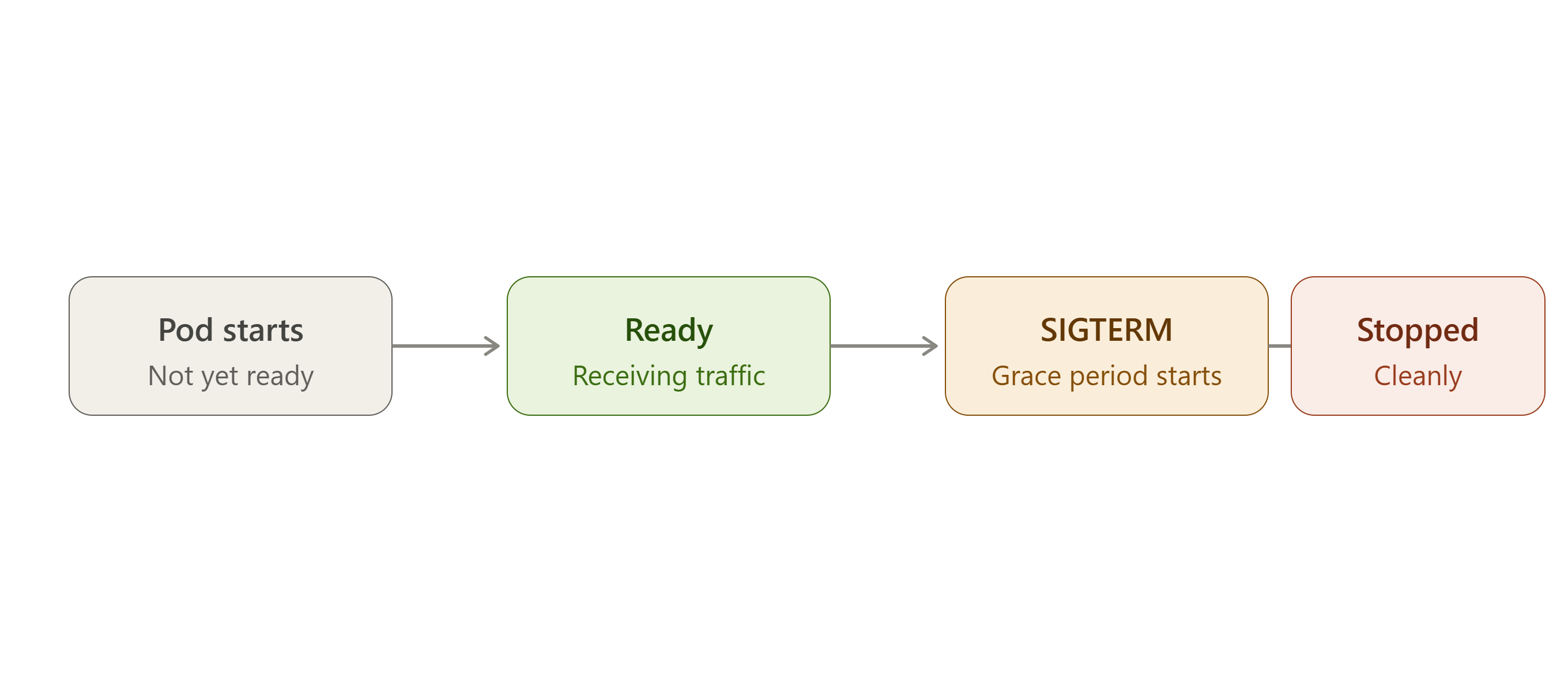
When Kubernetes terminates a pod, it sends a SIGTERM and gives a grace period, typically 30 seconds by default, before force-killing it. ASP.NET Core listens for this and gives you IHostApplicationLifetime to hook into it:
csharp
app.Lifetime.ApplicationStopping.Register(() =>
{
    // stop accepting new work, finish in-flight requests, close connections cleanly
});
Ignore this and in-flight requests get cut off mid-execution when the grace period expires, exactly the kind of failure that's hard to reproduce locally and painful to debug from logs alone.
ConfigMaps and Secrets, and knowing which is which
Configuration that changes per environment but isn't sensitive belongs in a ConfigMap. Credentials, connection strings, API keys belong in a Secret, and even then, a Kubernetes Secret is base64-encoded, not encrypted, by default. On systems handling financial data, I've paired Kubernetes Secrets with an external secrets manager rather than trusting base64 encoding as if it were real protection.
csharp
builder.Configuration.AddEnvironmentVariables();
Both ConfigMaps and Secrets typically surface as environment variables or mounted files, and IConfiguration picks them up the same way it picks up anything else, which keeps the application code itself blissfully unaware of where its configuration actually came from.
Namespaces and resource quotas: know your neighborhood
On a shared cluster, your service isn't running in isolation. Resource quotas at the namespace level prevent one team's runaway deployment from starving every other service on the same cluster. I've been on both sides of this, the team that got starved, and later, the team that learned to set sane resource requests so we wouldn't be that neighbor.
The real value of understanding this layer
None of this makes you a platform engineer. What it does is close the gap between "my service works on my machine" and "my service behaves correctly when Kubernetes inevitably kills, reschedules, or scales it without asking permission." That gap is exactly where a lot of production incidents live, and it's a gap application developers can close themselves, without needing to own the cluster.
Comments
Join the discussionNo comments yet. Be the first to comment.